It’s Sunday. The clock stops at 7pm, and your film upload must
begin by 7:30pm. This page is everything you still need: required
elements, how to encode and drop off, paperwork due by midnight, and where
to find us at the wrap party.
Film drop off and paperwork both happen on your team dashboard at
48hourfilm.com.
🎬 Your upload must have started by 7:30pm on
Sunday to be on time and eligible for awards. Aim to be dropping off
at 7pm.
Required Elements
2026 San Diego required elements
Character: Andrea or Andre Voss — Tour Guide
Line: “I won't do that again.” OR “I will not do that again.”
Prop: a Towel
All four of these have to be in the film, before the end credits and within
the official running time:
Genre: at least one of the genres you spun for.
Character: must be seen on screen, and it must be clear who they are,
either directly or by context. The name doesn’t have to be spoken or shown.
They can appear in full, in part, or in a photograph or other representation.
Prop: must be seen on screen. A picture of the prop is acceptable.
Line of dialogue: must be used verbatim. It can be spoken, sung, or
written, in any language, but if it isn’t obviously the required line you
need to provide a translation.
Footage, AI, and Rights
Every frame of your film must contain core footage: footage shot or
created during the official filmmaking weekend. Animation, titles, and special
effects count as core footage if you made them during the weekend.
Supporting footage created before the weekend can be layered over or under
core footage, as long as every frame still contains some core footage and you
assemble it during the weekend. Supporting footage may not include people or
other performers, unless that footage came from a previous 48HFP weekend for a
previously submitted 48HFP film. You can’t use Generative AI to create
supporting footage.
Still photos are permitted as core footage even if they weren’t created during
the weekend, but a sequence of stills used to create the illusion of motion
counts as supporting footage, not core.
Anything you didn’t create needs a Materials Release.
Using AI in your film
Generative AI is prohibited. You may not use AI to create writing,
scripts, music, images, special effects, or footage. Generative AI means any
system that produces new content in response to a prompt.
Non-generative (assistive) AI is permitted for technical post-production
tasks: noise reduction, audio cleanup, color correction, upscaling,
stabilization, rotoscoping, and similar enhancement features built into your
editing software. These may only improve human-created source material.
Prompt-based generative features are prohibited even inside otherwise-approved
apps.
Any AI use must be legal in your jurisdiction, limited to material you hold the
rights to, and disclosed on your Wrap Up Form: list every AI tool you
used. If you used AI or effects, you also need to complete the AI and Effects
Disclosure Form. When in doubt, don’t use it.
Rights, releases, and safety
Everyone signs a Waiver and Release Form before they start work. Cast,
crew, and anyone else who contributed. If you used an animal, the owner
signs.
All cast and crew must be volunteers.
You need rights to everything. Every song and piece of music needs a
signed Music Release. If a composer wrote it during the weekend, they sign.
If it came from a music library, the person who bought the library signs and
names the library on the form.
Fair use is not permitted. All music, footage, images, audio, and other
content must be original, properly licensed, or used with explicit
permission. The 48 is an international competition, so nothing in your film
may violate copyright anywhere in the world.
Song parodies need a signed release from the rights holder of the
original composition, regardless of fair use arguments.
Safety is your responsibility. Keep a safe set. Films that result in the
death or mutilation of an animal may be disqualified.
Using SAG-AFTRA actors? There’s a streamlined process and extra paperwork.
See the SAG-AFTRA section at the bottom of
48hourfilm.com/documents.
Length, Slates, and Credits
The start of the file is 17 seconds of required slates, then the film,
then optional end credits. With a max-length film and a full minute of
credits, the whole file is 8 minutes 17 seconds.
Your film itself must be at least 4 minutes and no more than 7 minutes.
Opening credits count as part of that 7 minutes. End credits do not.
Required slates, in this order:
5 seconds of black
5 seconds of a title card with your team name, title, genre(s), city,
and date
5 seconds of a title card reading “This film was made for the 48 Hour
Film Project 2026. www.48hourfilm.com”
2 seconds of black
Then your film begins. Title card templates are on your dashboard; you can
build your own as long as the timing and information are identical.
In San Diego we prefer you do not use the animated 48HFP bumper. Use the
static title card instead. The bumper is allowed by HQ, but it reads as an
ad at the start of every film, and we would rather the screening open on
your work.
Keep the slates silent. Do not start your film’s audio (music, dialogue,
or sound design) until after the 2 seconds of black. If you do put music
under the slates, it may be cut off.
End credits are capped at 60 seconds. Bloopers and behind-the-scenes
footage are fine within that minute. Your end credits must include the words
“This film was made for the 48 Hour Film Project. www.48hourfilm.com”.
Opening credits, if you use them, are part of the film and count against
the 7 minutes. If they include anything beyond the title, they must also
include the text “a 48 Hour Film Project”.
If your film isn’t in English, you must upload an .srt subtitle file by the
7:30pm deadline.
Encode settings (codec, frame rate, audio, file size) are in
Tech specs.
Don’t release your film early
You may not distribute your film in any way before its official 48HFP premiere
screening: no uploading it anywhere, no showing it to anyone outside your
team. Make a poster and a trailer instead and share those. Trailers should be
no longer than 48 seconds.
Submitting Your Film
Films are submitted online through your team dashboard.
🎬 Your upload must have started by 7:30pm on
Sunday to be on time and eligible for awards. Aim to be dropping off
at 7pm.
The clock that matters is your checksum. As soon as you drag your file into
the film drop off box, the system fingerprints it. That can take a couple of
minutes, so don’t cut it close. Once you have an on-time checksum, you’re on
time.
Tech specs
Encode to these specs before you drop off. A file that will not play on 48HFP
or theater equipment may be disqualified.
Container: MP4, H.264 or H.265 (MP4 will be one or the other). Variable
or constant bitrate is fine for video.
Resolution: 4K or lower. Maximum 4096 × 2160. Minimum 1920 × 786.
Strong preference for theater-native sizes:
1920 × 1080
1998 × 1080
2048 × 1080
2048 × 858
3840 × 2160
3996 × 2160
4096 × 1716
4096 × 2160
Picture: Square pixels, Rec.709 (ITU-R BT.709) color space, 2.4 gamma,
4:2:0 chroma subsampling. These are usually the MP4 defaults. Very dark
images can be hard to see in some theaters, so expose for the screen, not
just the monitor.
Frame rate:24p constant frame rate. Not 23.976. This is often
not the default in your NLE, and it is what cinema screens display best.
The wrong frame rate can cause sync and display oddities. Use constant
frame rate, not variable.
Audio: 16-bit, 48 kHz, stereo or 5.1 surround, AAC (the MP4 default).
Use constant bitrate for audio, not variable. Mix preference: dialogue
at -9 dB average, max peak -3 dB. Uneven or peaking audio may be
modified to protect the playback equipment.
File size:2 GB maximum, a hard limit on 48hourfilm.com. For a
max-length 48 film that means a target video bitrate under 34 Mbps.
Upload on wired ethernet if you can; wifi is the backup, a phone
hotspot is last resort.
Running time and the required 17 seconds of slates are in
Length, slates, and credits. Total file length
with proper slates, a 7 minute film, and a full minute of credits is
8 minutes 17 seconds.
HQ’s Tech Specs PDF on your dashboard may have additional render notes. Use
this page as the San Diego delivery list.
Set yourself up to succeed
Be logged in and sitting on the Film Upload page at 7pm. If you know your
final title, fill it in ahead of time so the only remaining step is dropping
the file in.
Use Chrome or Firefox. Do not use Safari. It has known problems with the
uploader.
Watch your film start to finish before you drop it off. Confirm the
render actually plays all the way through, and that it matches the
tech specs above.
Don’t let your computer sleep or start a screensaver during the upload.
This is the single most common cause of a stalled upload.
Keep the exact file you uploaded and do not change it. If anything goes
wrong, re-uploading the identical file gets you credited with your original
upload time.
If your upload stalls
First: don’t worry. About 10% of films stall while uploading. It is a
normal, expected part of drop off night, and it does not affect your On Time
status as long as you upload the same file.
Work through these in order:
Turn off screensaver and sleep mode on your computer. If your computer
goes to sleep, it will almost certainly stall the upload. This is the most
common cause.
If you’re using Safari, switch to a different browser. Chrome and
Firefox are what we recommend.
Refresh the browser and upload the SAME file again. Do not re-render, do
not re-export, do not rename it. The identical file is what preserves your
original drop off time.
Get on a stable internet connection. Wired ethernet first; wifi next;
phone hotspot last.
Two situations that look like failures but aren’t:
The upload hit 100% but the Film Info page doesn’t show it as complete.
That’s a stall. Refresh your browser and re-upload the same file.
It’s past 7:30pm and the upload is still stuck. You’re fine. As long as
you had an on-time checksum and haven’t changed the file, keep retrying. Your
drop off time reappears once the fingerprinting phase (the yellow beam)
finishes.
If something else goes wrong
No yellow beam, nothing happening at all? Almost always the browser.
Switch to Chrome or Firefox. Still stuck? Try a different computer.
Error saying your file is corrupted? That’s about how the file was
received, not the file itself. Refresh and try again.
Need to finish the upload somewhere else? That’s fine, as long as you have
an on-time checksum and you upload the exact same file. Get it to us as soon
as you can.
Missed the deadline entirely? Submit anyway. Late films still screen at
the premiere and are still eligible for the Audience Award.
Paperwork Due By Midnight Sunday
Everything below is due by midnight on Sunday and uploaded through your
dashboard. Your film will not be screened until we have your signed releases.
Uploaded under Production → Paperwork & Additional Content:
Waiver and Release Form: one per cast and crew member, both pages of
each.
Certification Statement: one per team. Your signature certifying that
all creative work took place during the official competition period.
Music Release Form: one per song or composer. Skip it if you used no
music at all.
Materials Release Form: one per source. Covers sound effects,
photographs, stock footage used in post-production effects, video filters,
and similar. Materials from the same source can share one form, but each
source needs its own form, signed by whoever holds the account at that
third-party source.
Location Release Form: one per location.
Filled in online on your dashboard:
Team Roster: under Pre Production → Team Roster. This is where we
get names from if you win an award, so get it right.
Wrap Up Form: under Production → Do the Wrap Up. This is where you
give us your logline and tagline, tell us about your weekend, and disclose
any AI use.
You just made a movie in 48 hours. Come celebrate it.
We’ll be at BJ’s from 6pm onward. No ticket, no cover, just show up. Bring
your whole team, and bring the cast and crew who only saw their own piece of
the weekend and haven’t seen how it all came together.
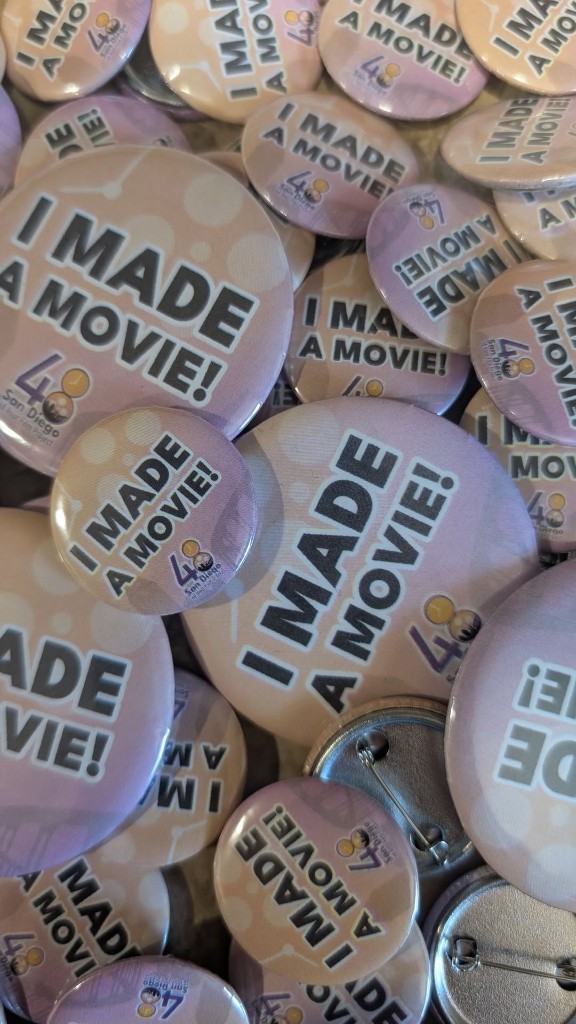
Show up and get a free I MADE A MOVIE! button.
When: Sunday, August 30th, from 6pm onward
Where: BJ’s Brewhouse at Hazard Center, 1370 Frazee Rd, San Diego, CA
92108, in Mission Valley.
Cost: Food and drink are no-host, so bring a card. There’s no charge to
attend. The button is free.
This is the best part of the weekend for a lot of people. It’s where teams
trade war stories about the location that fell through at midnight, the actor
who nailed the line of dialogue on take one, and the render that finished with
four minutes to spare. Everybody in the room just went through the same thing
you did.
A few practical notes:
You don’t have to wait until you’re completely done. Your film needs to
be uploaded, but your paperwork isn’t due until midnight. Plenty of team
leaders finish their Wrap Up Form and roster from a booth. Bring a laptop
or a charged phone if you still have forms outstanding.
Don’t screen your film for anyone. The
no early distribution rule still applies
until your premiere. Talk about it all you want, just don’t play it.
Late film? Still come. Your movie still screens, and you still earned a
drink.
Every 48HFP submission worldwide has to meet these six requirements to be
eligible for judging and awards. Miss any one of them and your film is
disqualified.
Your film is submitted on time.
Your film meets the minimum and maximum length requirements.
Your film includes the required elements: character, prop, and line of
dialogue.
Your film is in at least one of its assigned genres.
Your production documents are submitted on time.
All creative work took place during the official 48 hour time frame.
The Audience Award, Best Poster, and Best Trailer are not subject to these
requirements.
Getting Help
🎬 Do not email [email protected] during the competition weekend.
That inbox is not monitored on the weekend.